
📺 TUTORIAL SK ASIA PLAYER
✅ IMPORTANT : Uninstall the Old Version
- Make sure to remove the old version first before installing the new one
- Go to:
Settings > Apps > SK Asia TV > Uninstall
📢 Note:
- Old App Name: SK ASIA TV
- New App Name: ✅ SK ASIA Player
For Android / Box TV
✅ Step 1: Install “Downloader by AFTVNews”
Search Downloader by AFTVNews in Google Play Store on Android TV
→ Tap Install

✅ Step 2: Enable “Unknown Sources”
Go to:
Settings > Device Preferences > Security & Restrictions
→ Enable: Install unknown apps > Downloader > Allow
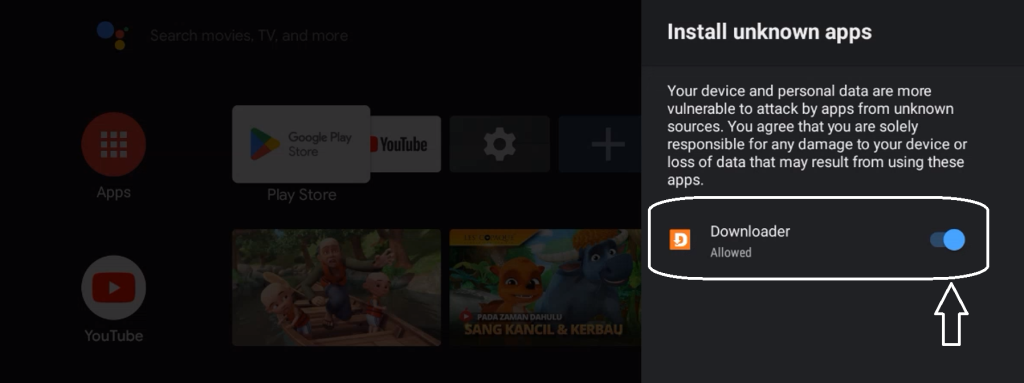
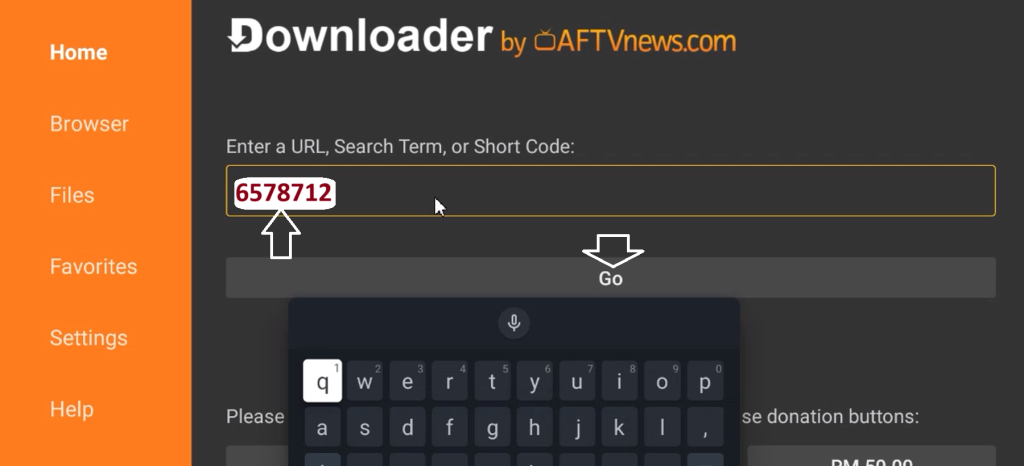
✅ Step 3: Open Downloader & Enter Code
🔢 Code: 6578712
🔢 Alternate: 3302776
🔢 Alternate: 7088393
🔗 Or direct link: http://skasiatv.com/apk/skasiaplayer.apk
✅ Step 4: Download & Install
→ Press OK/GO → Tap Install when download finishes
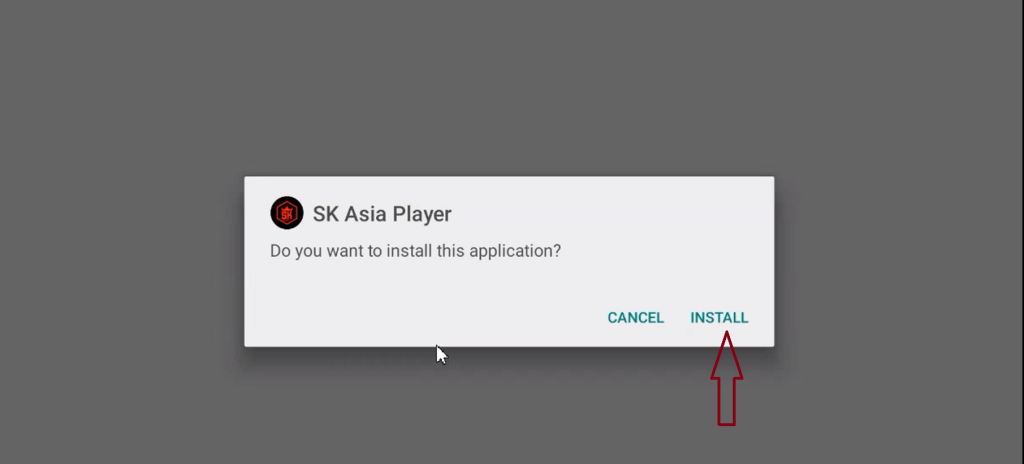
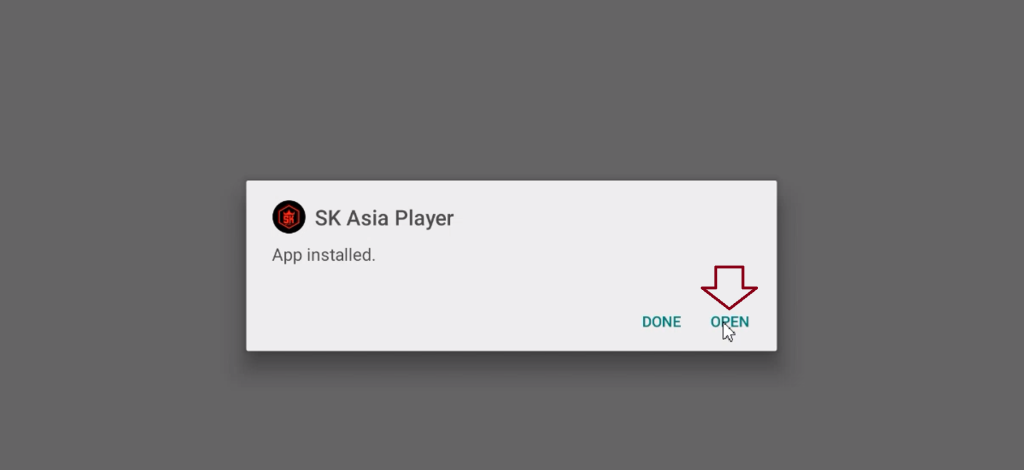
→ Press OPEN
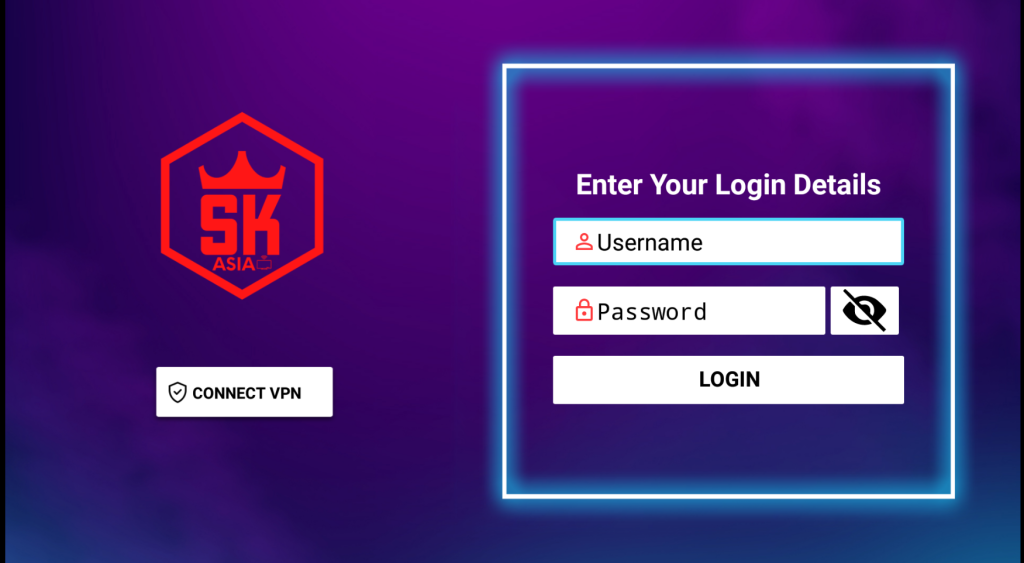
✅ Step 5: Log In
- Username: (provided)
- Password: (provided)
→ Press LOGIN
Video Tutorial:
https://drive.google.com/file/d/1davIzVRTkp5OHmMBYV0k3XmQasMvfDSo/view?usp=drivesdk
| Problem | Solution |
|---|---|
| Can’t install APK | Enable “Unknown sources” & Make sure there’s enough storage |
| Login failed | Check spelling, no spaces, and ensure stable WiFi |
| App crashes | Reinstall app or clear cache |
Done!
Enjoy unlimited streaming with SK Asia Player