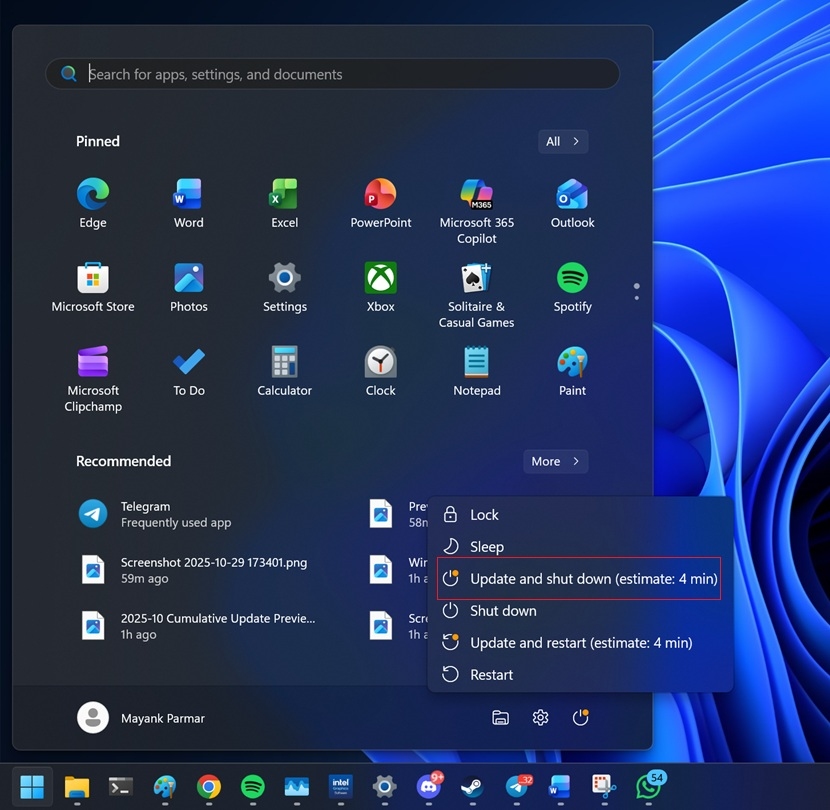
Over the years, Windows 11 has had its fair share of bugs, with new ones emerging almost as soon as the old ones are squashed. One may recall the longstanding issue preventing some devices from powering off despite choosing the “Update and shut down” option, which Microsoft finally resolved back in November.
Now, a somewhat similar issue has cropped up. Though unlike the previous bug, users do not have to wait long for a solution, as the company has rolled out an emergency patch to fix the problem. The “out-of-band” update was deployed over the weekend. As such, it is already available to download via the Microsoft Update Catalog.
Shut down issues return
On 13 January 2026, Microsoft released security update KB5073455 for Windows 11 as part of its usual Patch Tuesday routine. For the uninitiated, the company deploys these updates each month to address security issues and vulnerabilities to ensure the devices’ stability.
This time, the patch introduced a new problem. After this update, some users discovered that their Windows 11 devices would not shut down or hibernate. Instead, the devices would only restart. As users could not rely on the Start menu button to turn off their computers, they had to resort to forcing a shut down via the Command Prompt.
Secure Launch is to blame
 It is worth noting that this issue only affected Windows 11, version 23H2. More specifically, devices running the Enterprise and IoT editions with Secure Launch would encounter this bug.
Essentially, this feature serves to protect computers from firmware-level threats during startup. It relies on virtualisation-based security to ensure only trusted components load as the device boots up. While the feature allows untrusted code to run initially, it quickly pushes the system into a trusted state by taking control of all CPUs.

The specifics of what exactly caused the issue remains unexplained, as Microsoft did not offer any further details. It’s also unclear what was done to resolve the problem. At the same time, the company rolled out a fix for a bug preventing users from signing in remotely.
Other problems may linger

Of course, bugs are an unavoidable reality when it comes to software, but shutdown issues aren’t exactly a minor inconvenience. Potential problems include power or battery drain, as well as overheating.
But even with this issue dealt with, Windows 11 is not free from other bugs. According to Windows Latest, update KB5074109 for 25H2 and 24H2 has caused some devices to show black screens. Meanwhile, another bug affects Outlook Classic, resulting in crashes. For now, no fixes have been deployed for these issues.
(Source: Microsoft [1], [2], Windows Latest)