
Last week, Valve released official Windows drivers for its Steam Machine. It’s normally not something you’d want to do, but for those who do, it’s a nice option to have. One YouTuber, via the channel ETA Prime, has taken this to its logical conclusion – comparing the performance while running both operating systems on the same Steam Machine. And the result is genuinely a bit surprising, especially if you know how things went when similar comparisons were made previously.
One caveat to mention before we get to the actual comparison, is that ETA Prime has bumped up the RAM of his Steam Machine up to 64GB, from the default 16GB. This may have an effect on the result, especially with higher resolutions, so it’s definitely worth mentioning from the get-go. But in general, the performance of the cube running either OSes is, surprisingly, pretty comparable. In actual gaming, and in 4K resolution, Windows 11 actually performs marginally better, even.
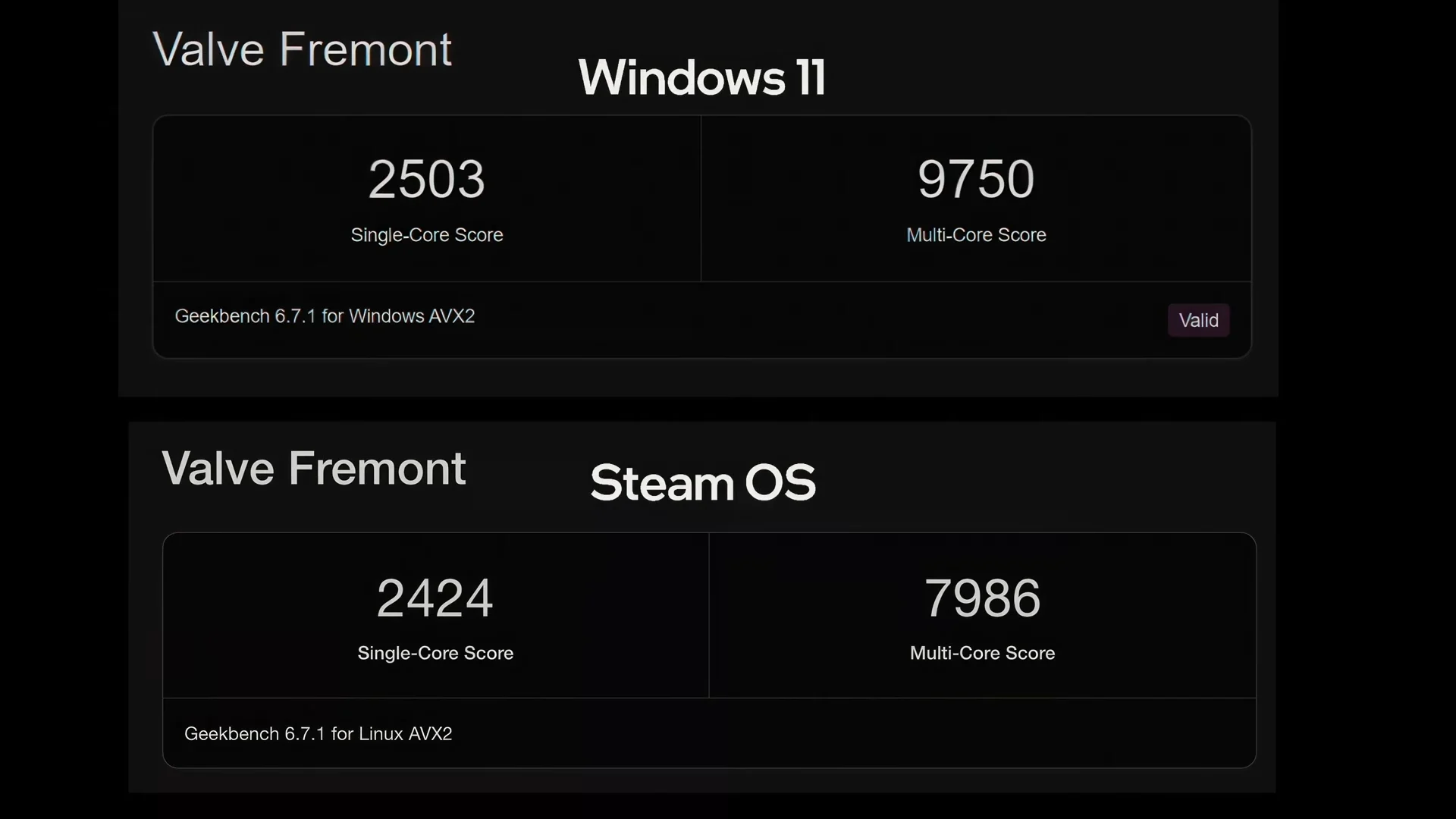
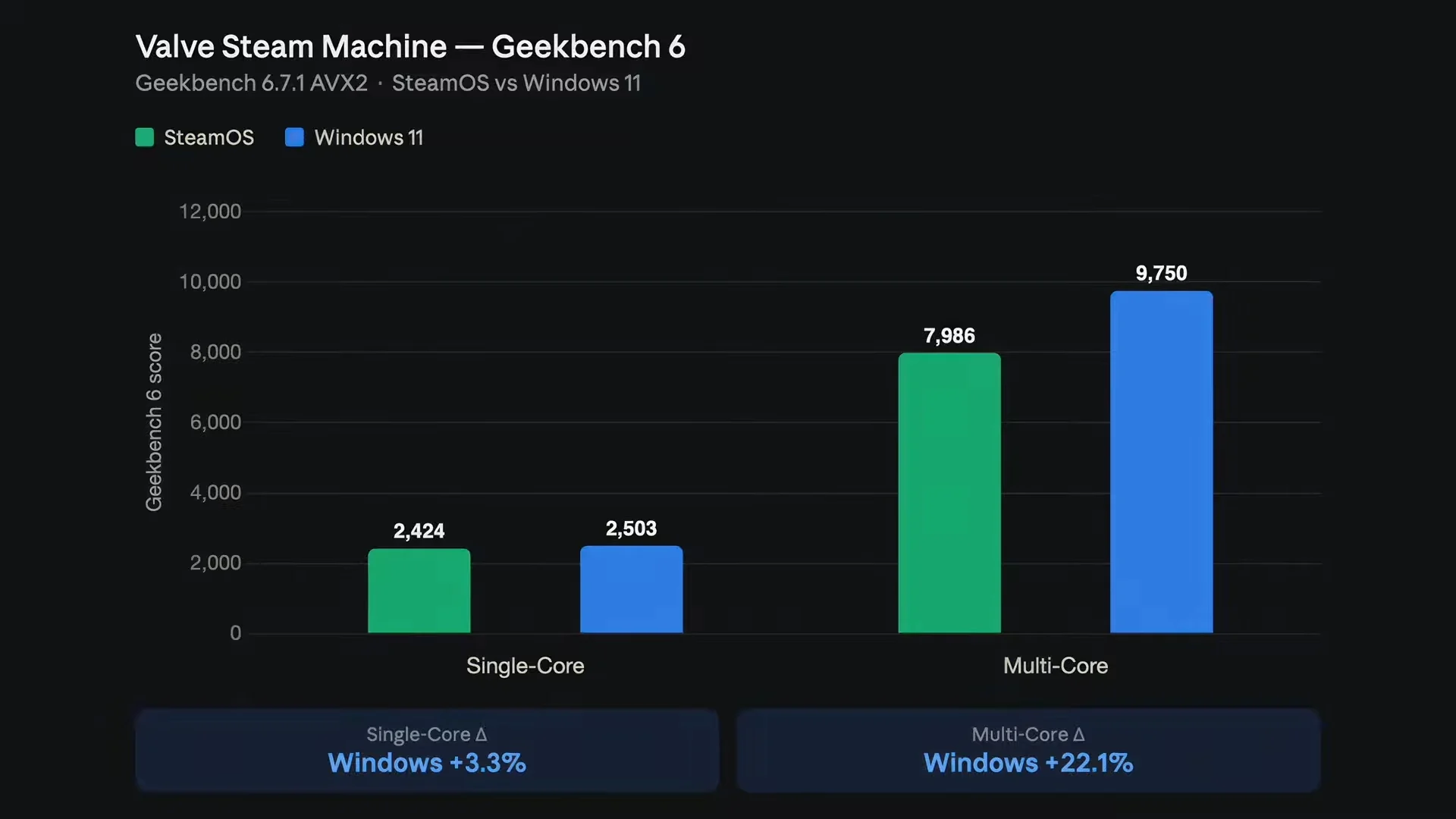
Of course, there are some other caveats to the whole comparison, even beyond the 64GB of RAM. Especially for the synthetic benchmarks, Windows 11 looks to run better through Geekbench in both single- and multi-core tests. But it’s worth noting that SteamOS ran these benchmarks on desktop mode rather than game mode, throttling performance somewhat.
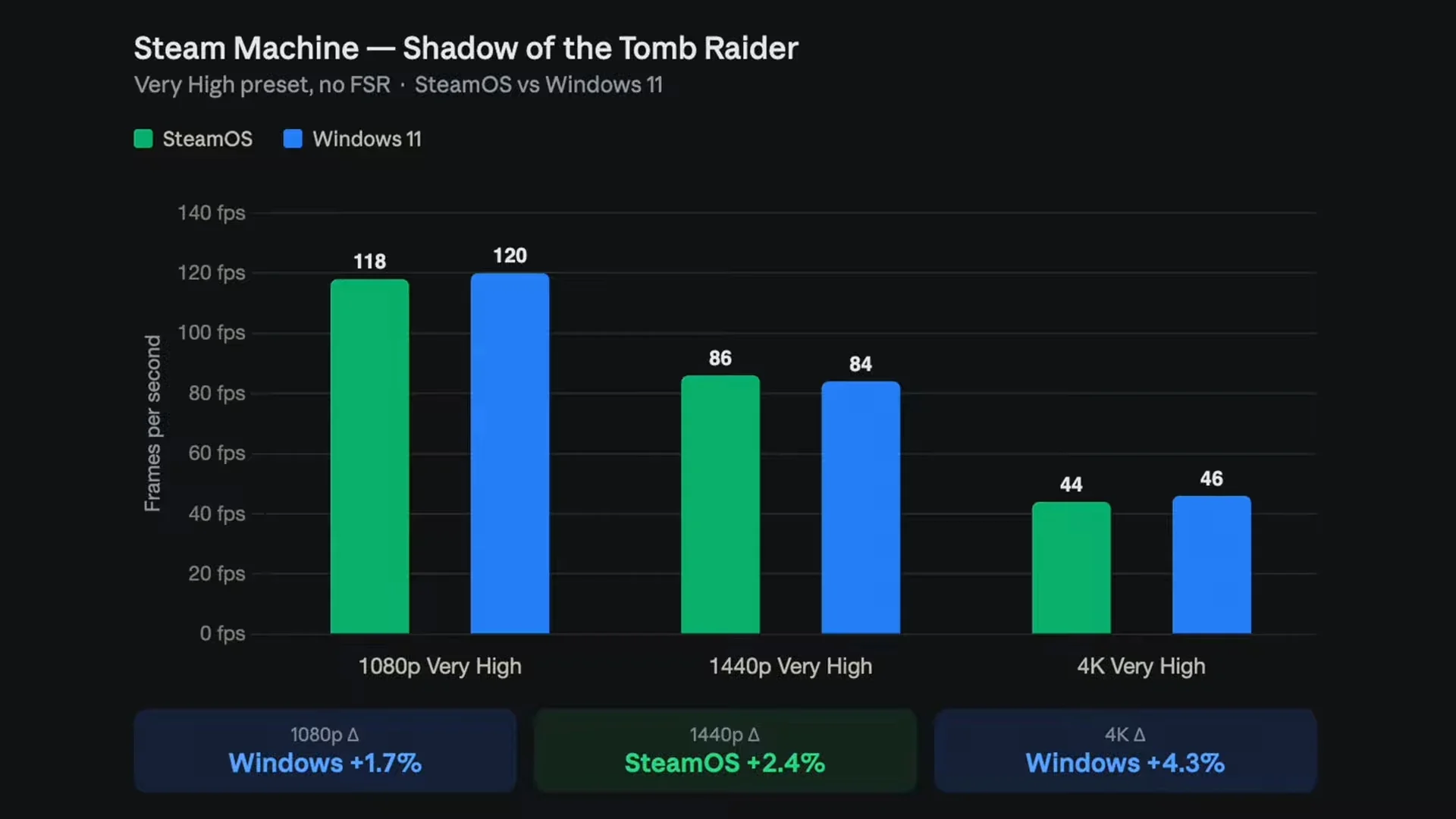
Then there are the in-game benchmarks, starting off with Shadow of the Tomb Raider. The Steam Machine looks to perform better on Windows 11 on Full HD and 4K resolutions, while it was better with SteamOS on 1440p. That being said, the difference in results is literally two frames per second on average in all three resolutions, so in practical terms they are effectively equal.
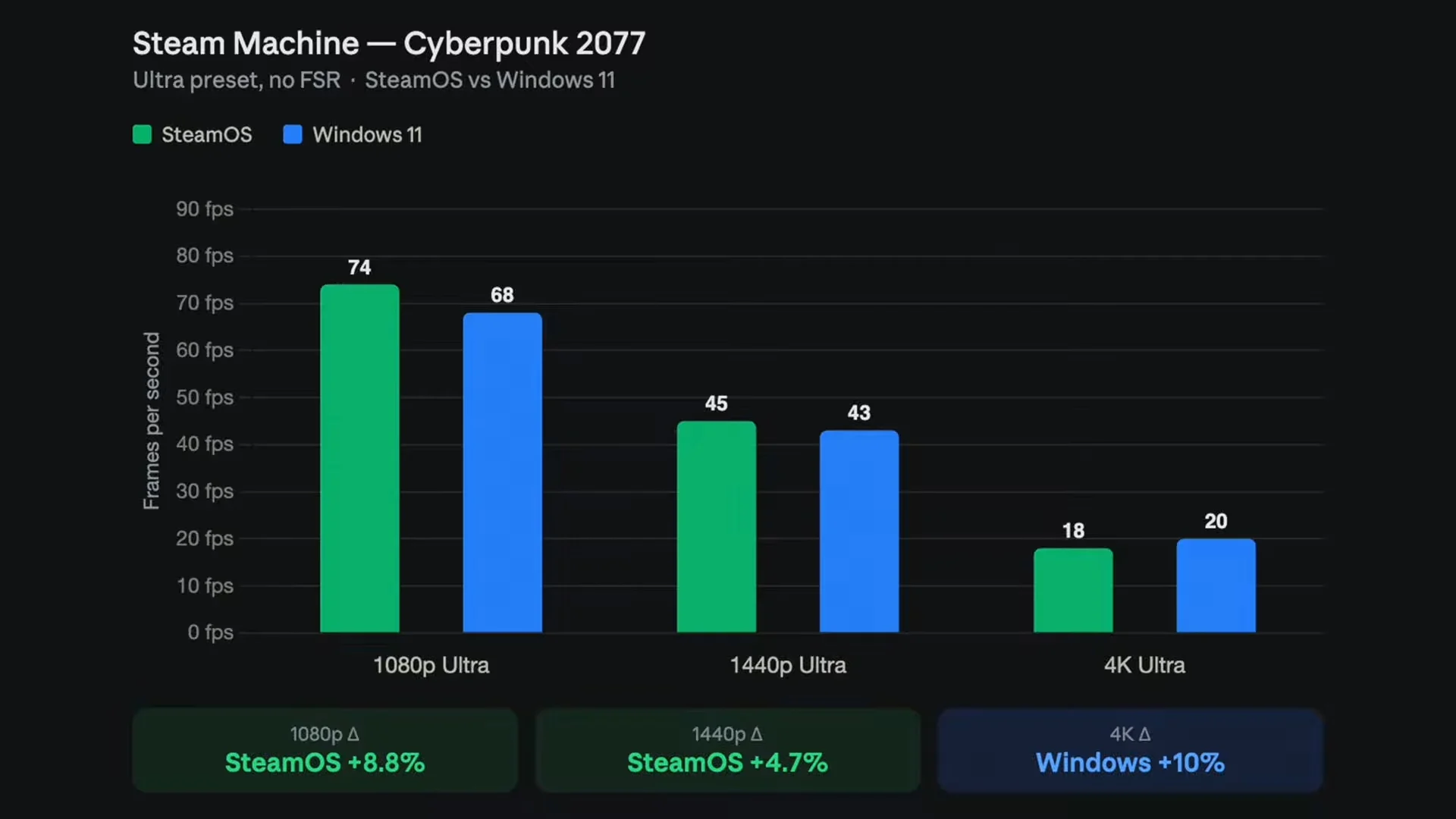
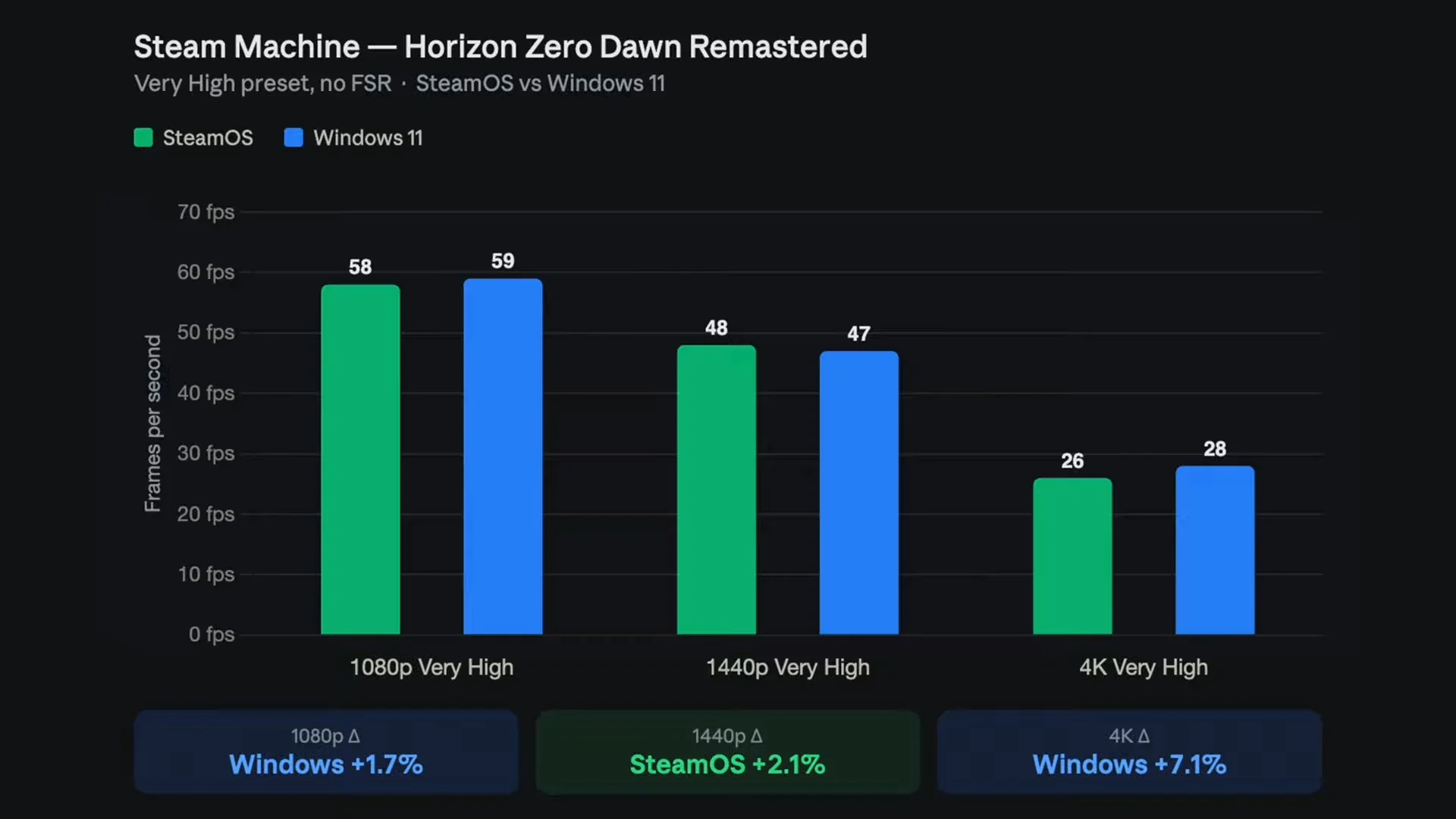
It’s mostly the same story with the Cyberpunk 2077 in-game benchmark, with Windows 11 doing two frames per second better on average. SteamOS, on the other hand, has on average two more frames per second on 1440p, but this climbs to six frames per second on average in Full HD in SteamOS’s favour. Finally, there’s Horizon Zero Dawn Remastered, once again with the fps difference being two or less across all three resolutions.
For real world gaming, ETA Prime ran a few games while on WIndows 11, so no direct comparisons to SteamOS here. But in general, the Steam Machine could run most games on 1440p with High settings and no FSR pretty well, minus Crimson Desert, being the only game that was featured running on Medium settings with FSR with Frame Generation. He does note that performance may be better on Windows 11 simply because there’s no Proton compatibility layer to go through.
On one hand, this is a slight turnabout to when the same comparison was done with the Lenovo Legion Go S from last year. Granted, battery life is not a concern at all with the Steam Machine, but the fps difference between the two operating systems was much larger, and mostly in favour of SteamOS with the handheld. With the Steam Machine, the scales have tipped the other way, but only very slightly, and less consistently. And once again, there’s that 64GB of memory to keep in mind.
In conclusion though, the improvement in performance is too inconsistent and marginal for it to be worth the effort to make the Steam Machine run Windows 11. Though there’s the argument to be made to make the cube run a dual boot setup. You can watch the video for yourself if you’re interested to see the comparisons for yourself. Though it’s worth noting that there’s a pretty dodgy sponsored segment shortly after the intro.
(Source: ETA Prime / YouTube)