
The Predator Triton 14 AI is one of Acer’s newest offerings in the gaming laptop space. Though it features a lean, almost unassuming design, this machine packs quite a punch, especially for its size. However, despite being a top-of-the-line laptop, it does not deliver a completely stutter-free experience.
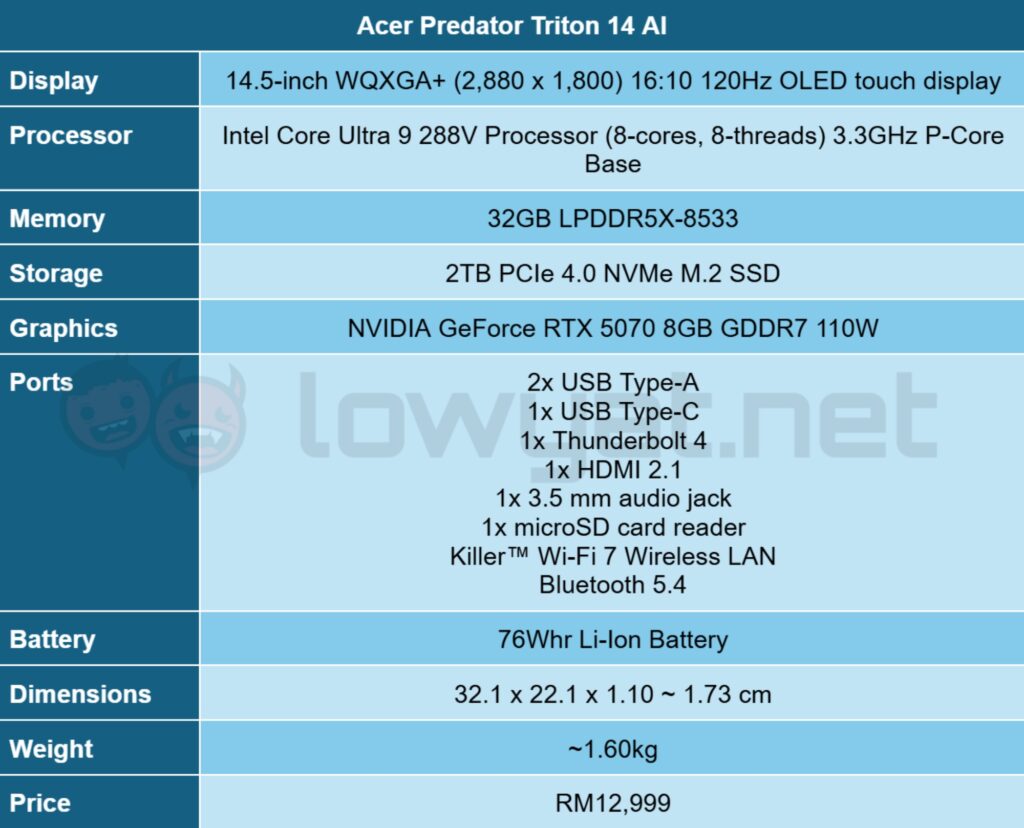
Specifications
Design And Functionality
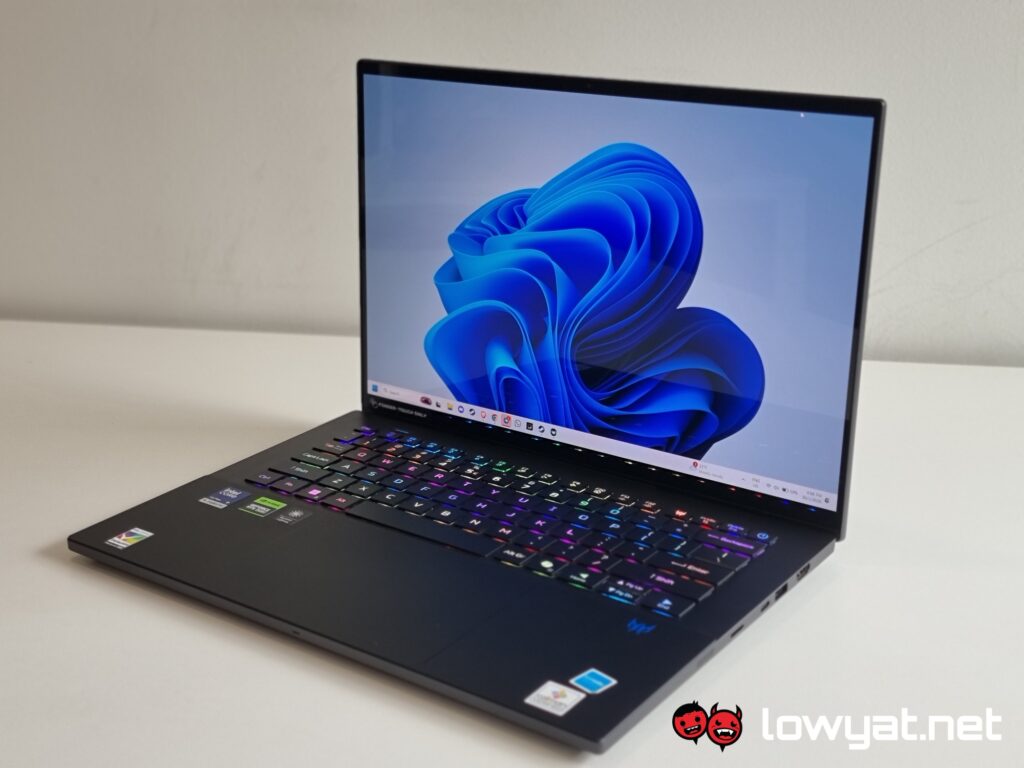
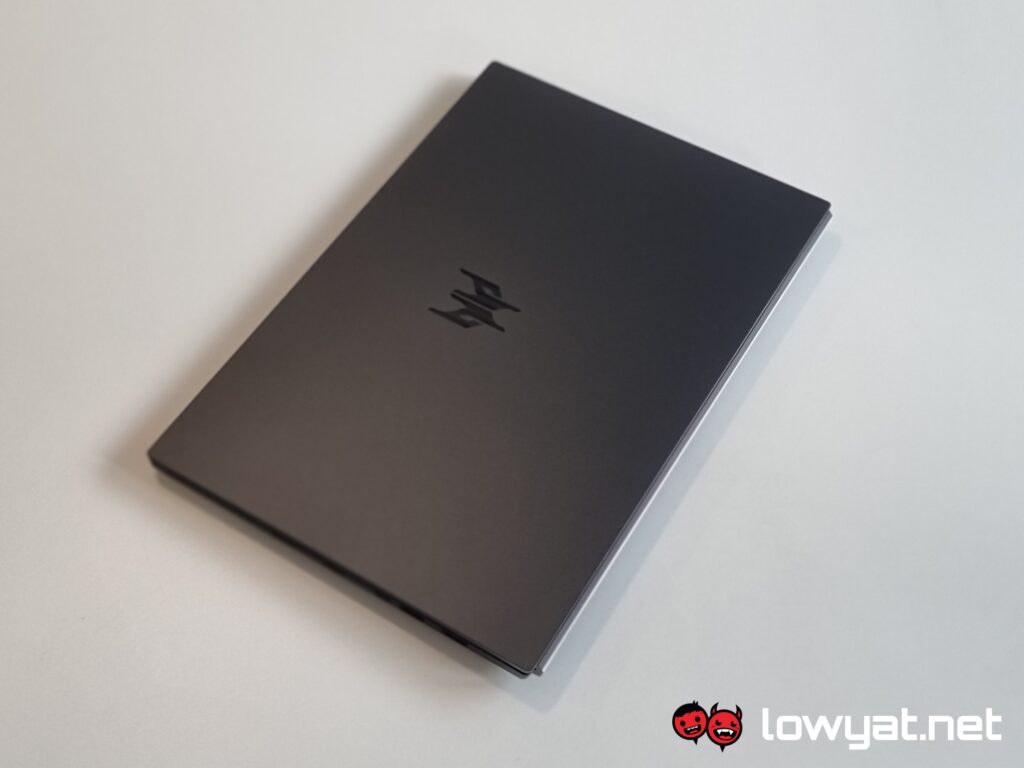
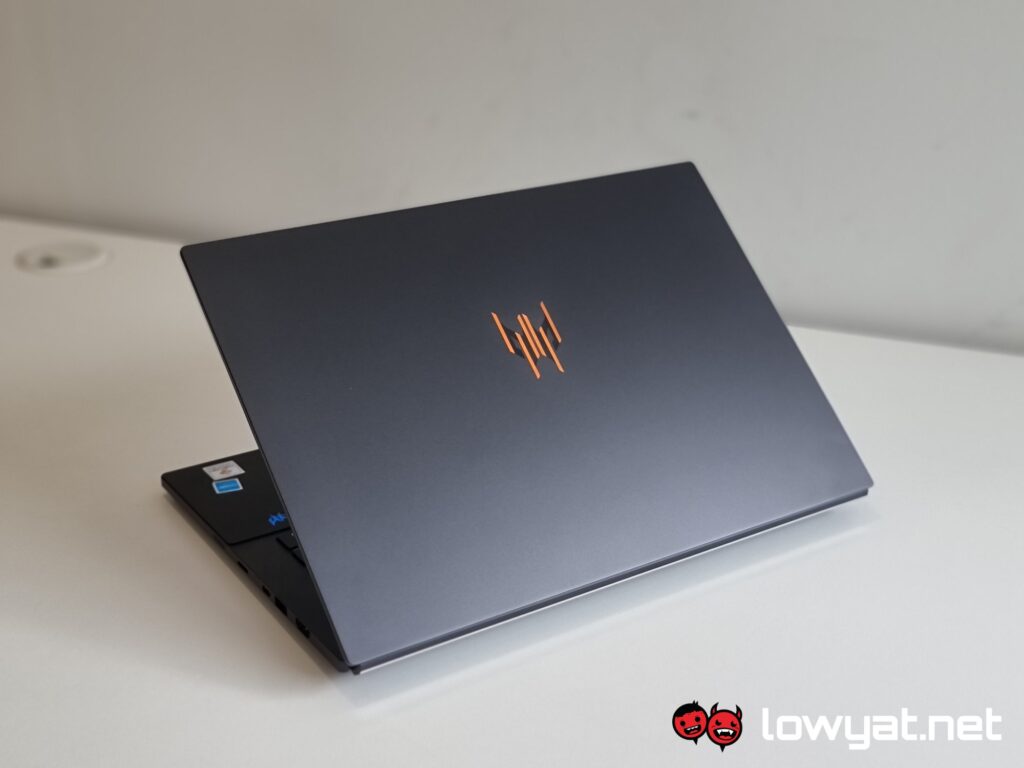
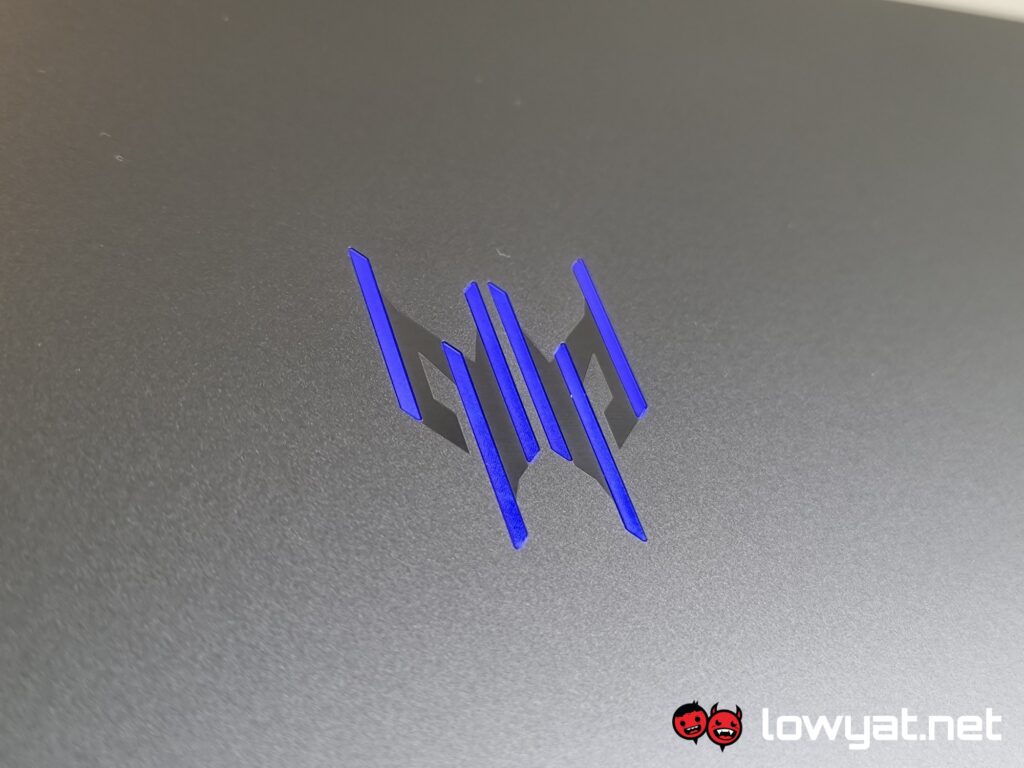
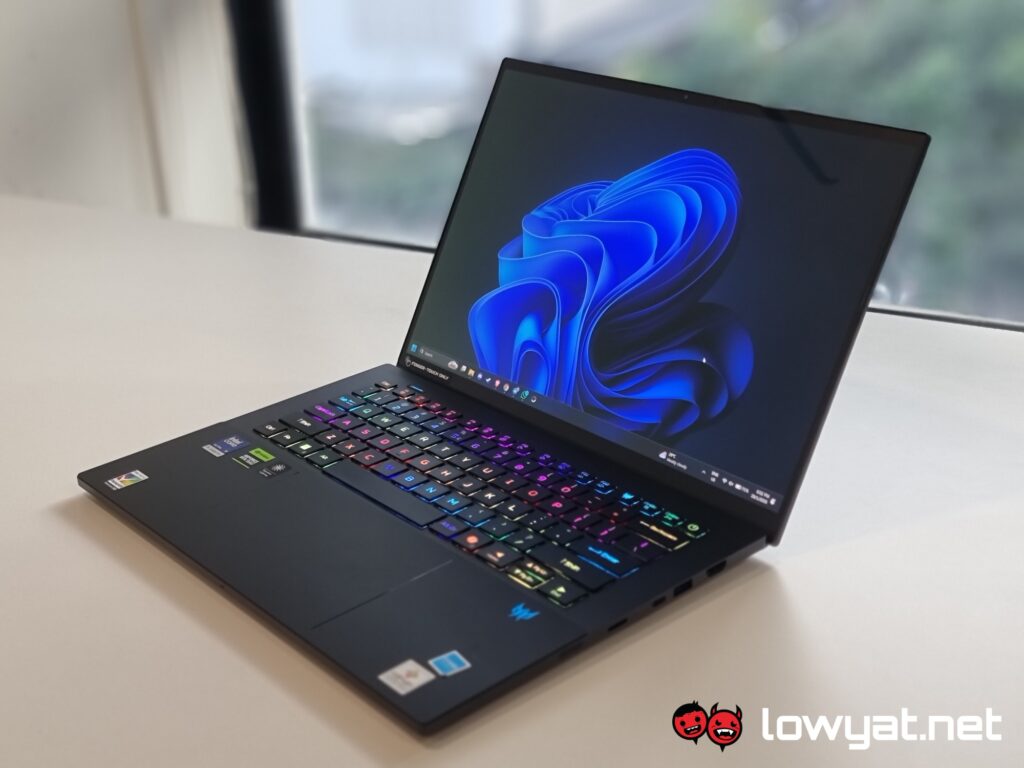
Compared to other gaming laptops I’ve come across, the Predator Triton 14 AI has a relatively reserved look and design. Of course, it is still a gaming laptop, which means you’ll get an RGB flashbang courtesy of its keyboard and via the aggressive logo on the rear.
The chassis is mostly made from CNC aluminium, which allows the laptop to be incredibly light, weighing just 1.60 kg. While the laptop as a whole feels plenty sturdy, there is still some flex in the lid and keyboard if you intentionally apply pressure around its surface area.
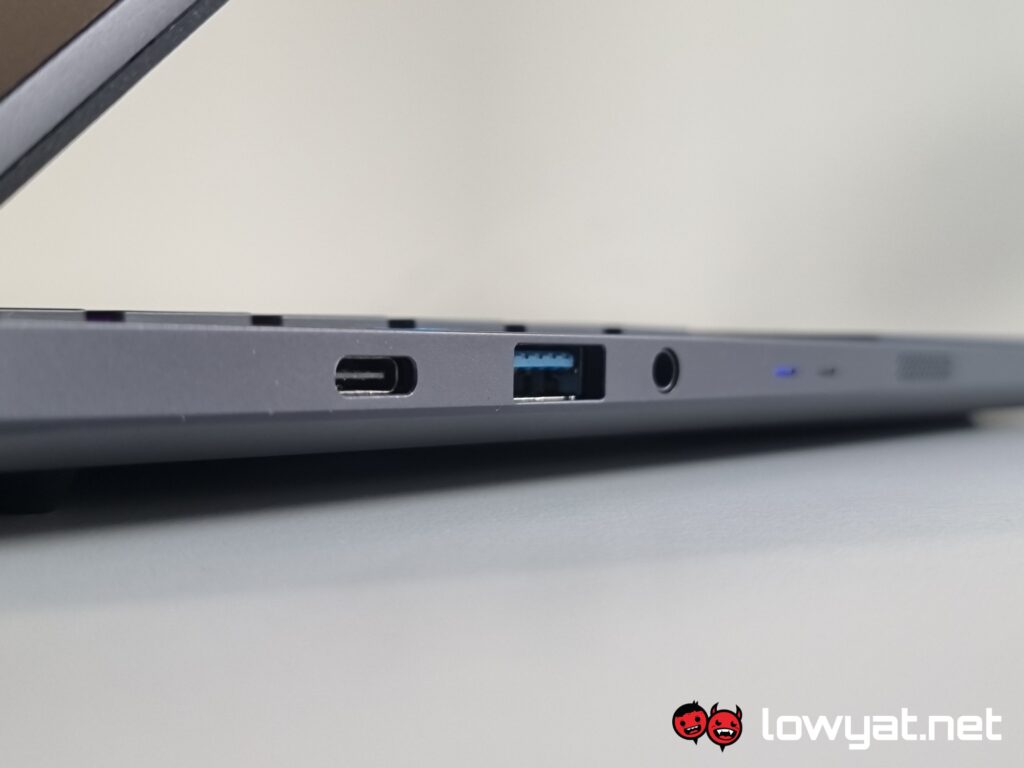
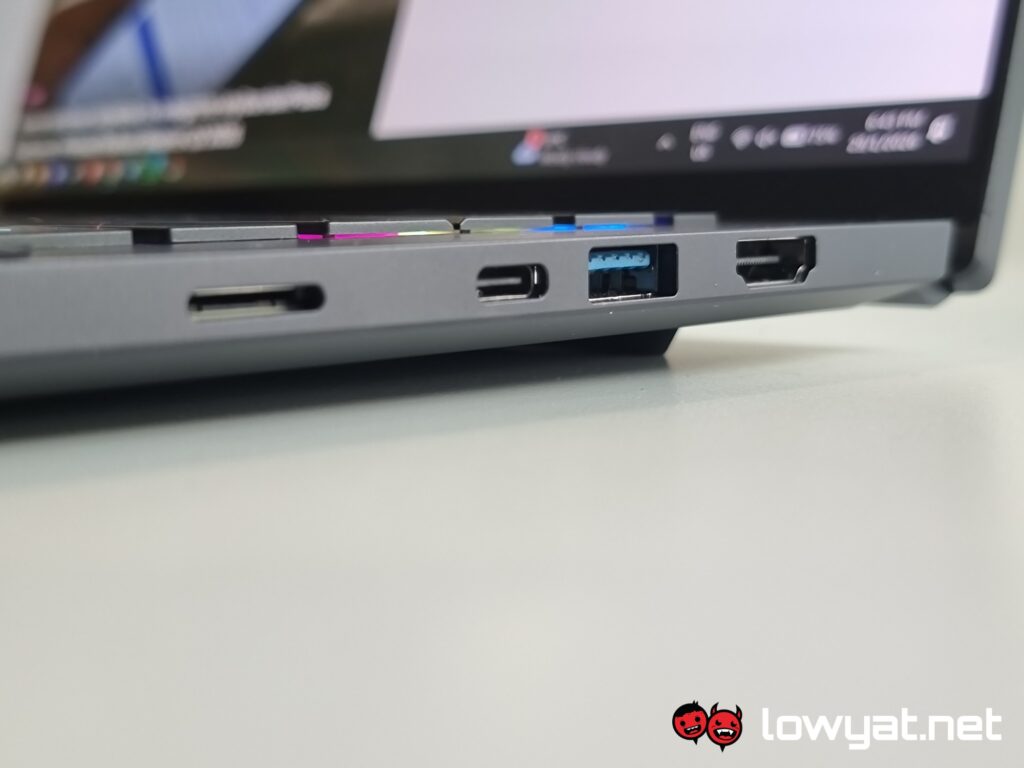
The Triton 14 AI is also quite thin. This makes it great for transportation, but, as a result, you don’t get much in the way of available ports. In total, you get a USB-C port, one Thunderbolt 4, two USB-A ports, an HDMI 2.1 port, a 3.5 mm audio jack, and a microSD card reader. Despite this, the engineers over at Acer have also managed to fit the 6th Gen AeroBlade cooling solution into the machine.
As for typing, the Triton 14 AI delivers a pleasantly bouncy experience, reminiscent of tactile switches on a mechanical keyboard. As you may have guessed, typing on it is surprisingly comfortable; I hardly felt any discomfort, even in my shrimp-like posture.
Naturally, being a Predator AI laptop, there are shortcut keys for PredatorSense and Microsoft Copilot. If I have any gripes with its layout, they are that the power button sits right above the Backspace key — resulting in me accidentally turning the PC off — and that the up and down arrow keys are too small for my liking.
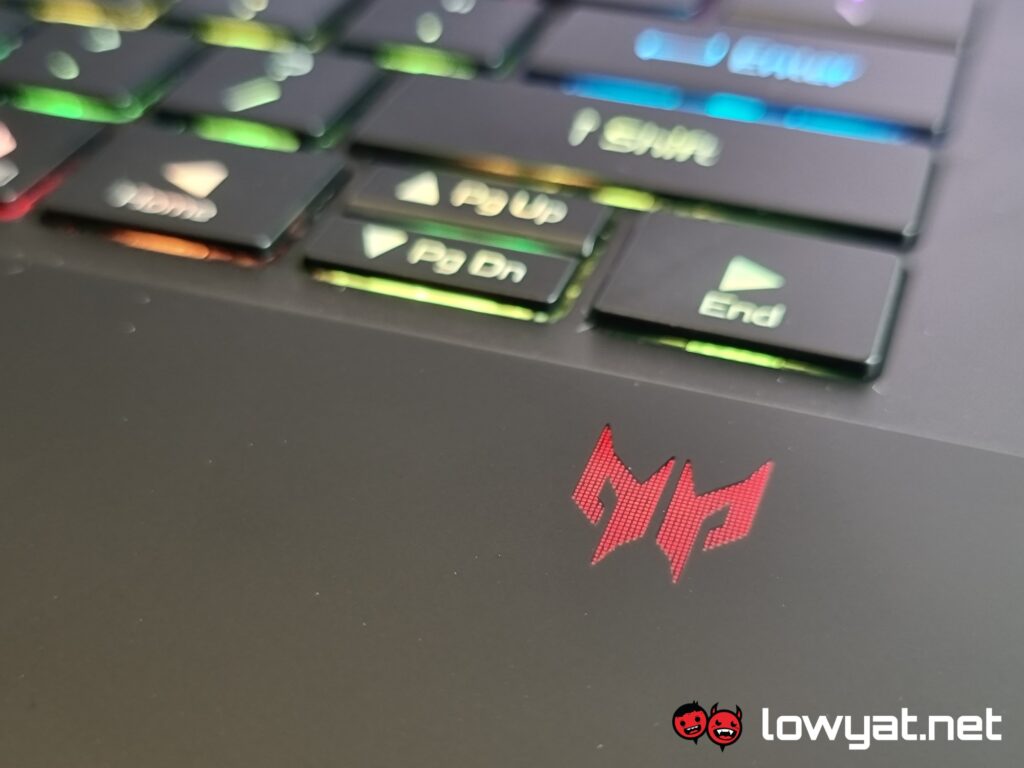
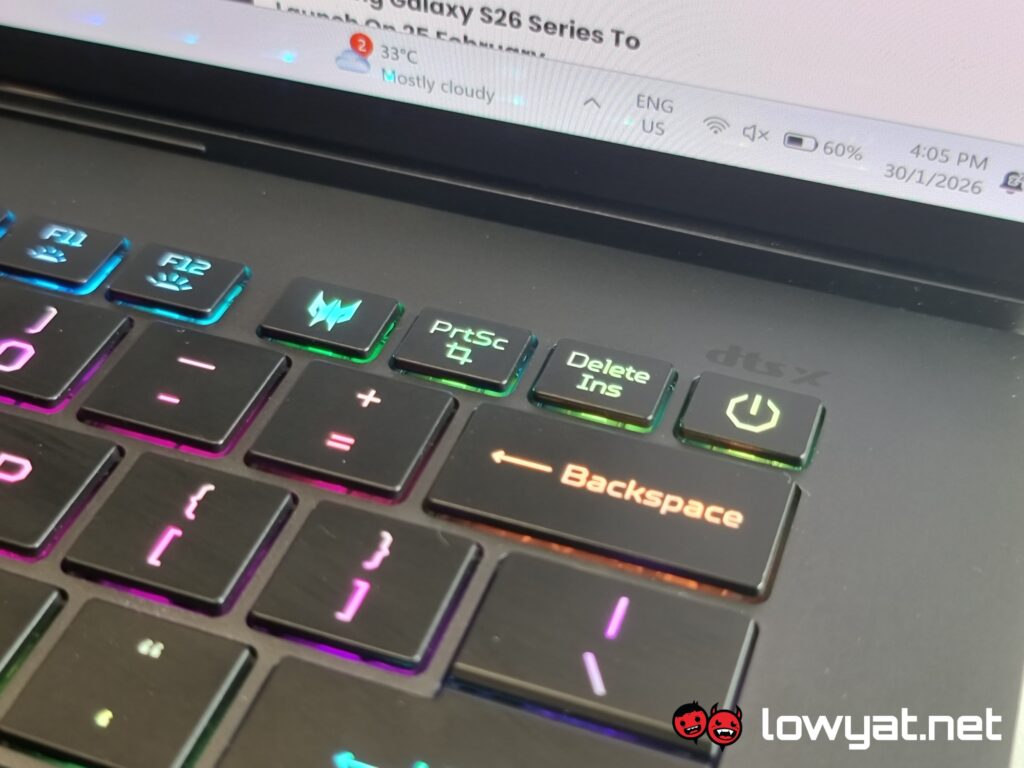
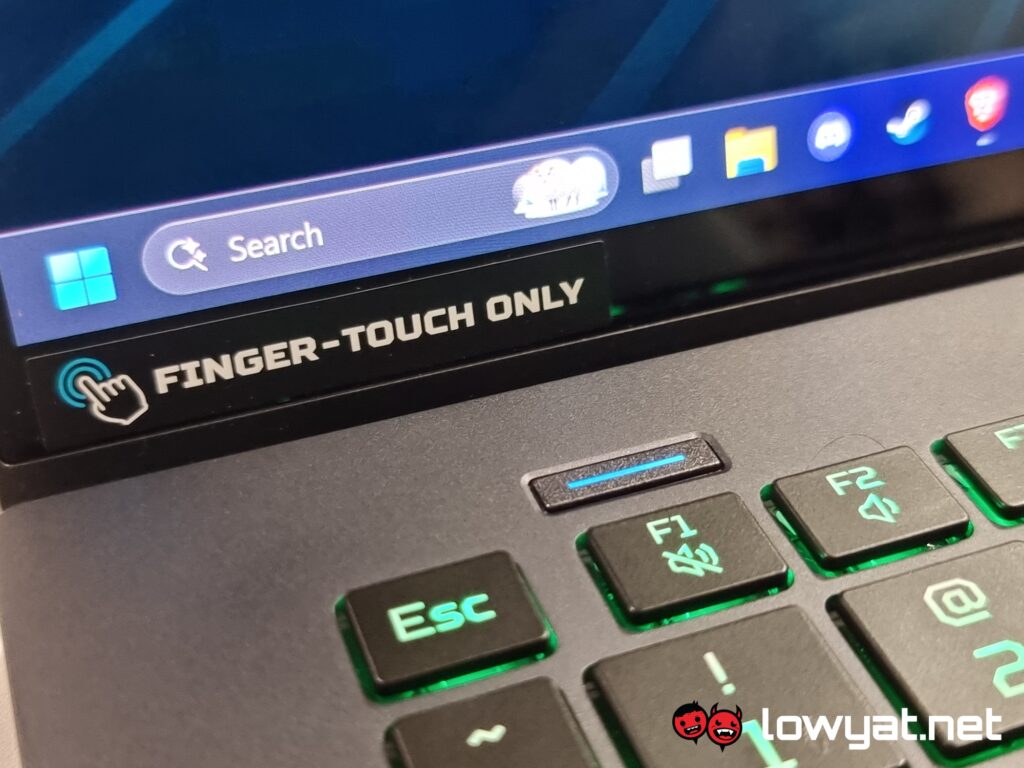
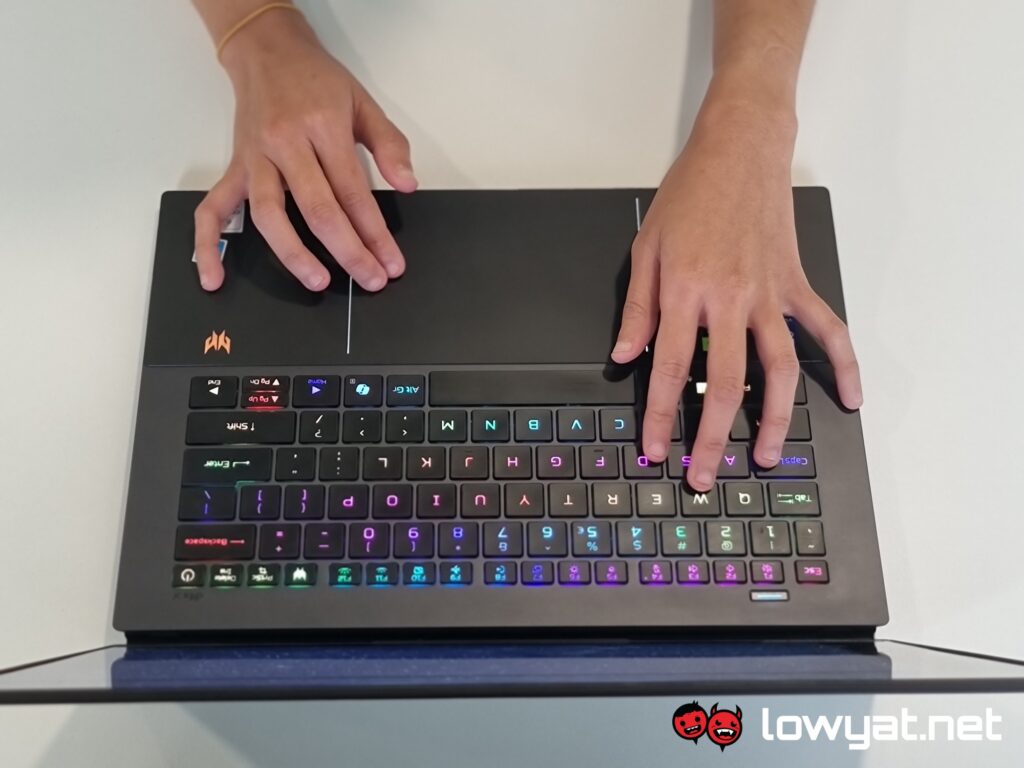
Moving on, I’d also like to point out that the front touchpad area is made of glass with a matte texture. This is a welcome addition, as it prevents that region from becoming a fingerprint magnet. Furthermore, the touchpad physically locks itself when disabled, so you won’t hear or feel any distracting clicks when applying pressure to it.
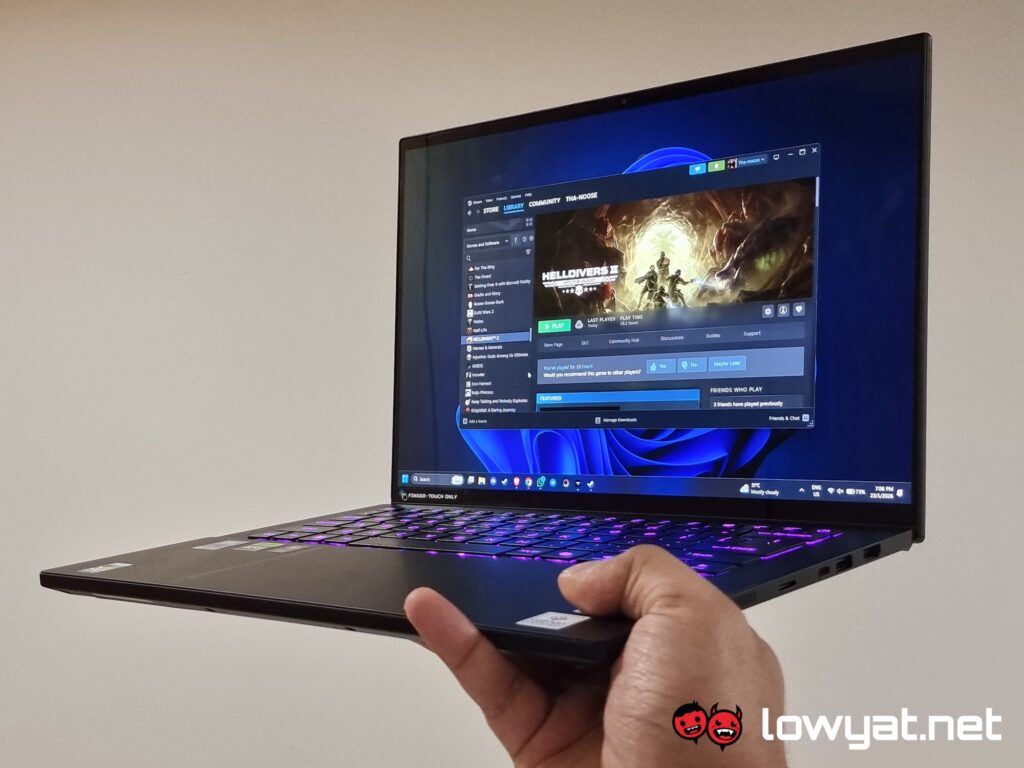
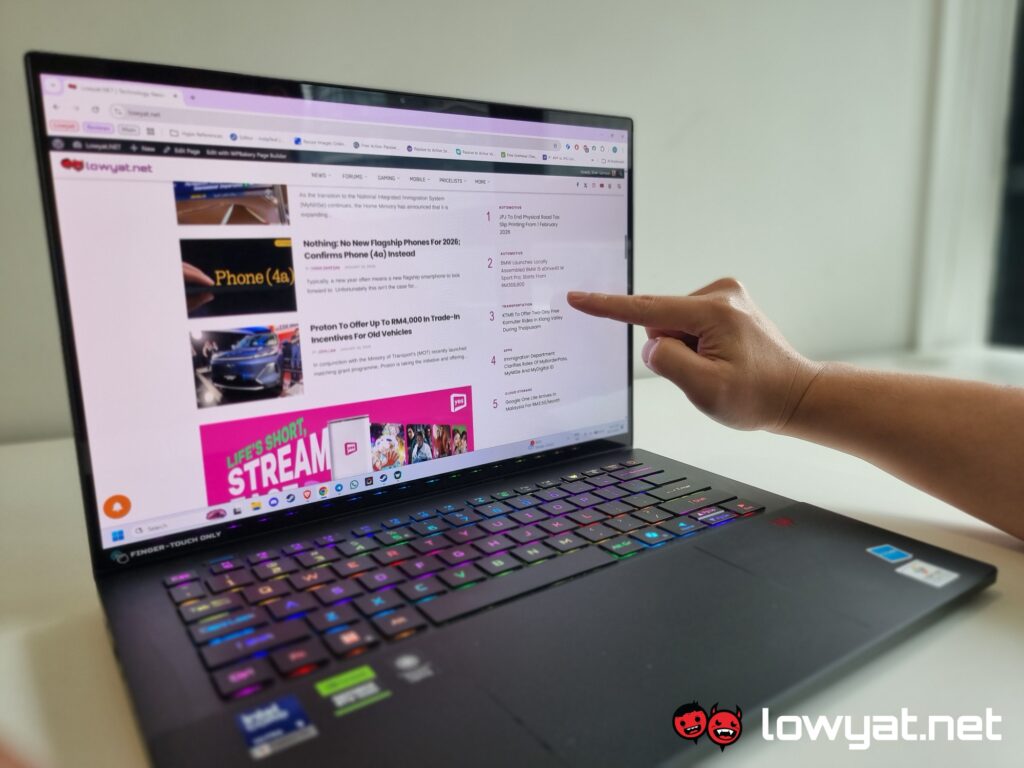
The Triton 14 AI features a glossy OLED display, and it is a stunning panel, to say the least. Did I mention that it is also a touchscreen and works with the included stylus? Although it is predominantly a gaming laptop, digital artists and the like may enjoy this machine too.
Performance And Battery Life
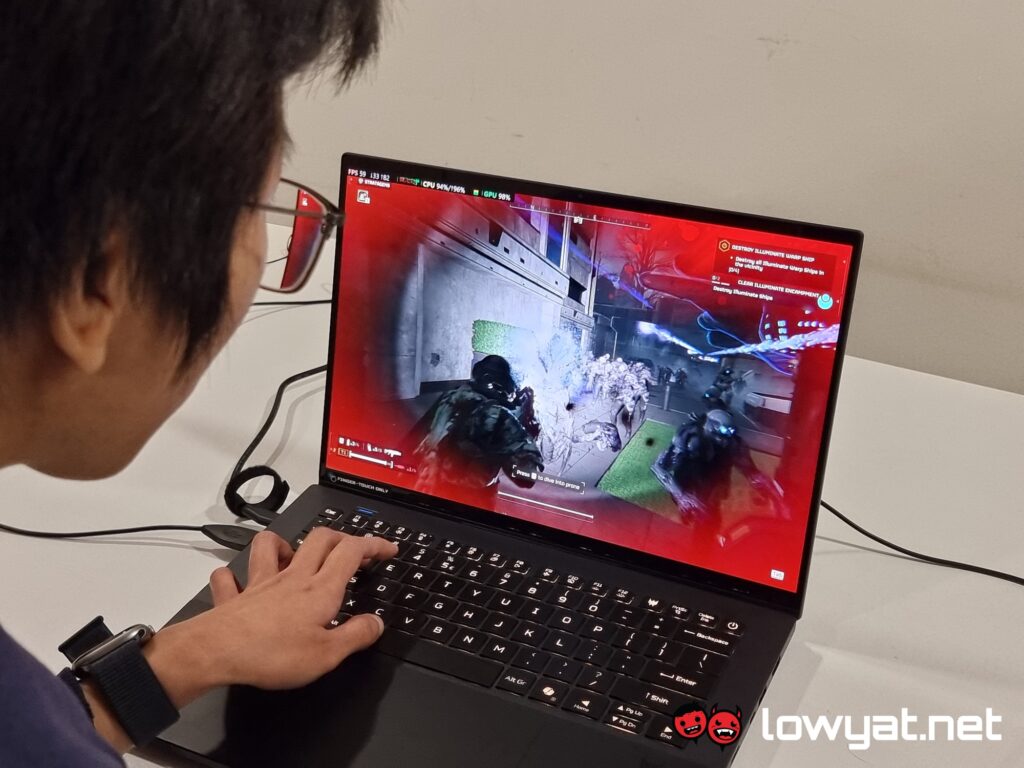
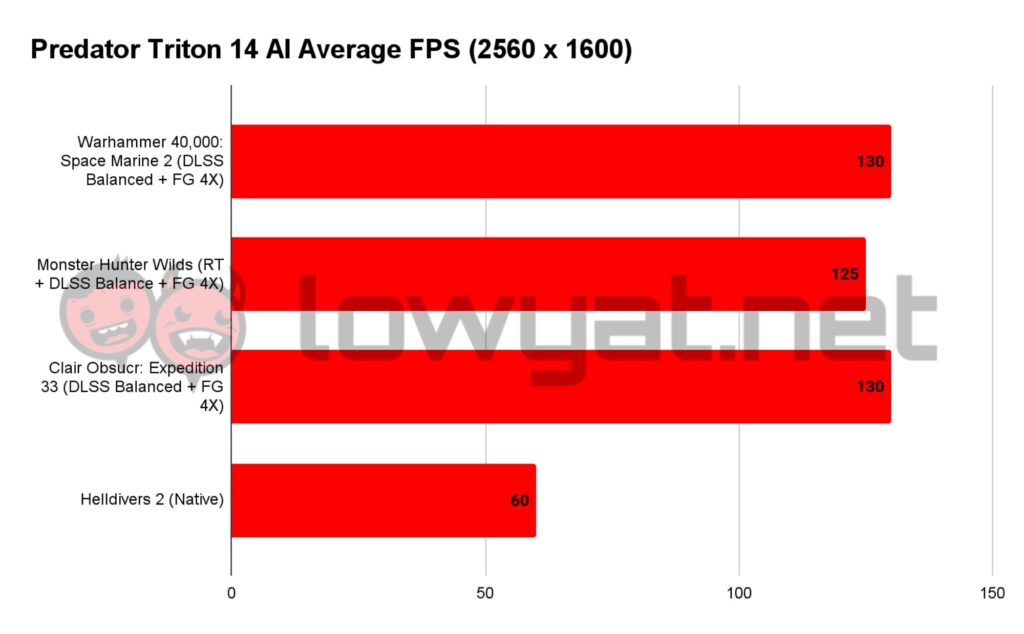
I’d like to stress that this is my first time using an RTX 5070 laptop GPU paired with an Intel Core Ultra 9 288V. Right off the bat, I can safely say that the Predator Triton 14 AI is one hell of a machine. I was able to achieve an average frame rate of 125 fps in Monster Hunter Wilds, even at the highest graphical settings with ray tracing enabled. Notably, this was using DLSS Balanced mode; I could easily push beyond 177 fps by switching the focus to performance. And, as an additional aside, this was before Capcom patched the game and fixed that DLC bug.
When I pivoted to games such as Helldivers 2, I was averaging around 60 fps. There were a few instances where the entire system would freeze and drop to 4 fps, but this issue lies with the game’s lack of optimisation rather than any failure of the laptop itself.
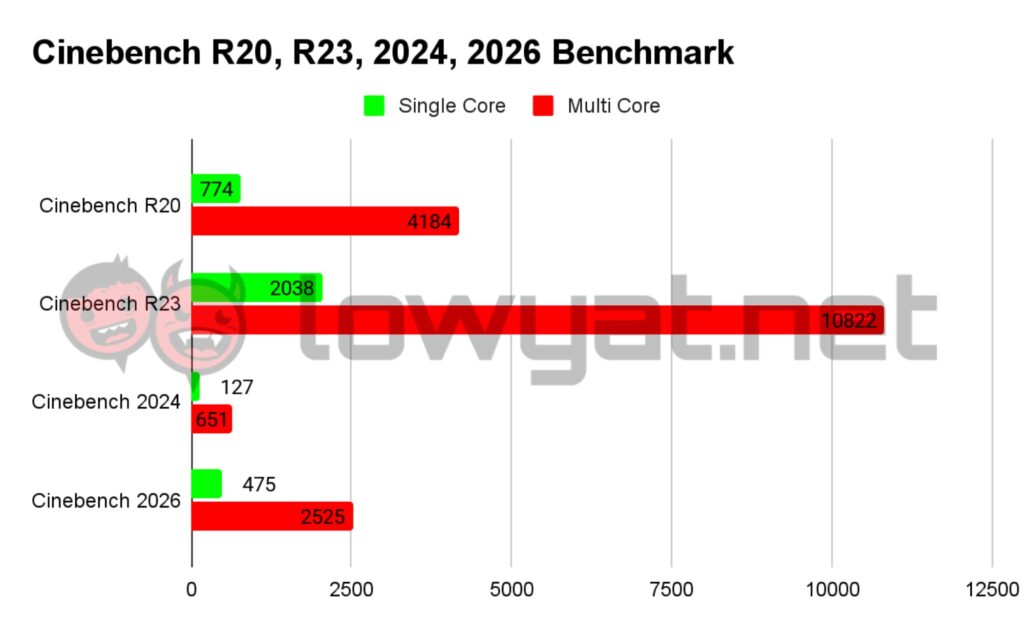
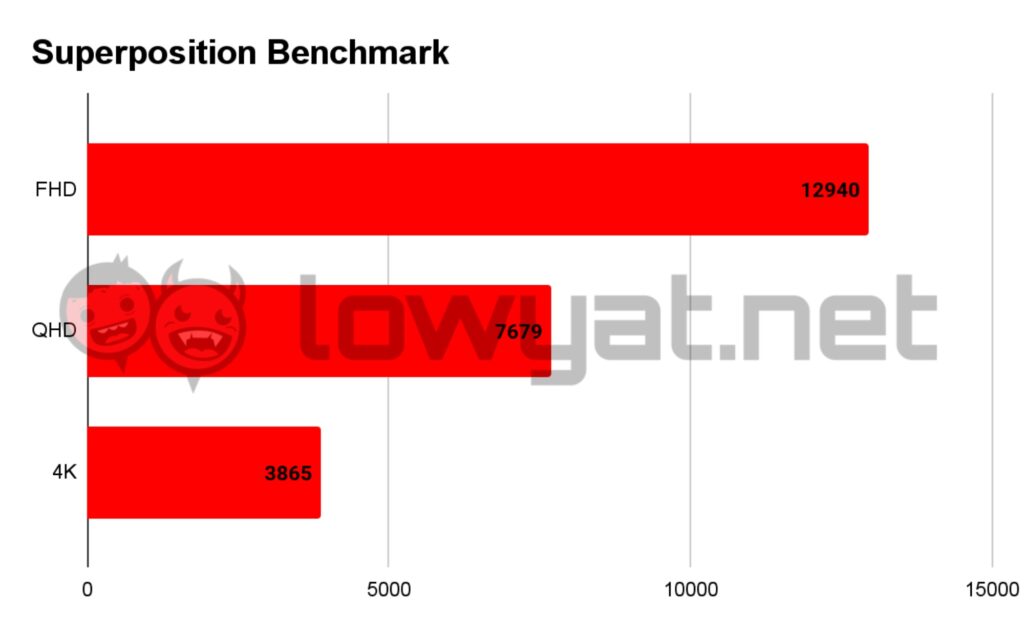
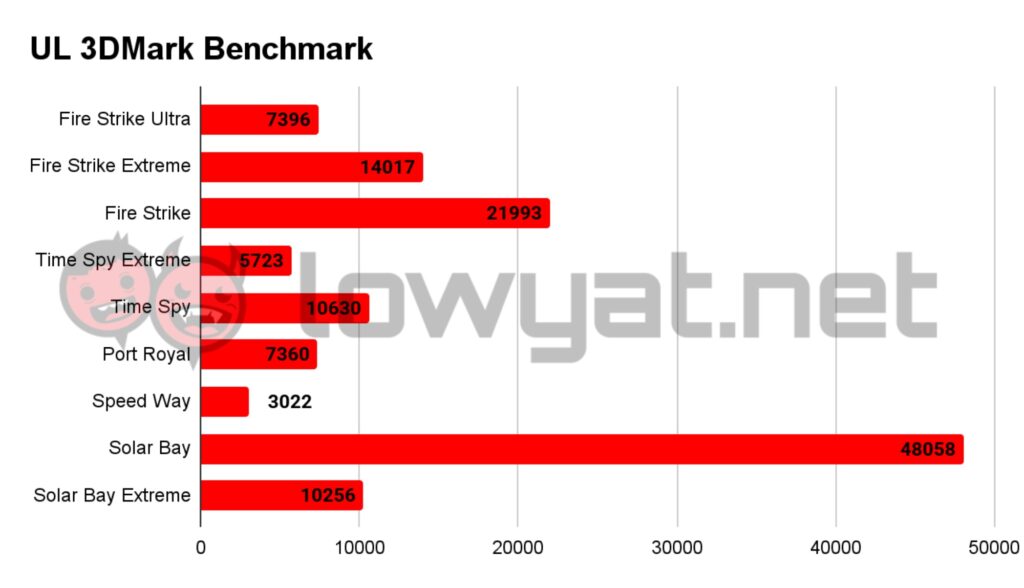
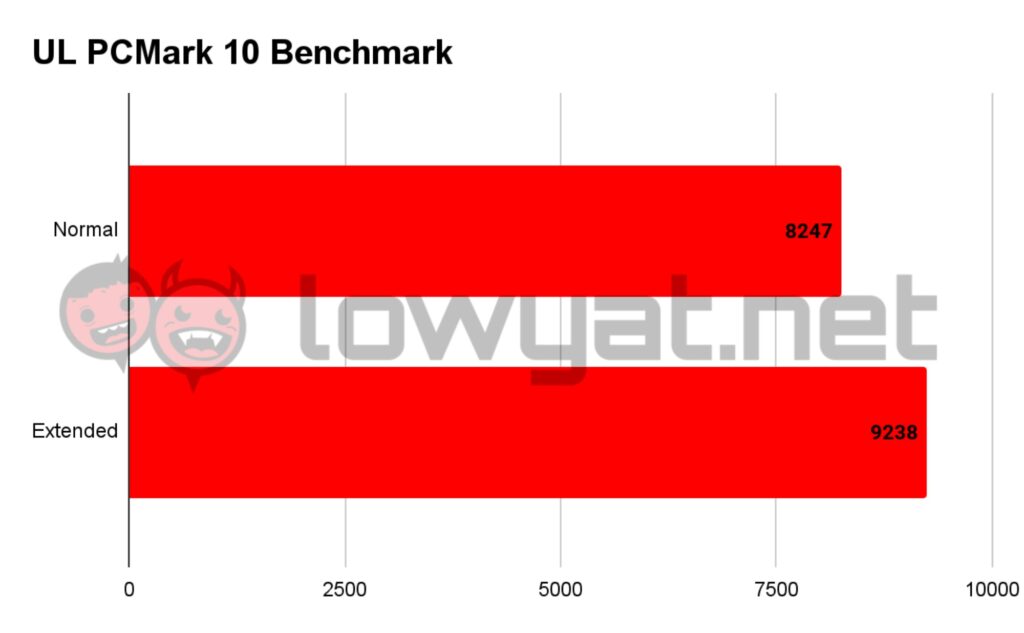
This is where I started pushing the limit of the PC, and I did so with Space Marine 2. When optimised, I can easily reach 135 fps (as seen in the chart below). But when I ran it without things such as frame generation and at the highest graphical settings possible, the game also managed to hold a steady high of 60 to low 70 fps. On a related note, I am happy to report that the included bloatware software didn’t dampen the PC’s performance as I initially expected. The two largely remain dormant unless I hit their respective shortcut keys, which is, more often than not, by accident.
When gaming, I could easily tell that the laptop was struggling, as the fans would suddenly ramp up out of nowhere. I promise you, there were instances where this machine was the quietest laptop I’d ever worked with in one moment and a violent jet engine taking off in the next. Credit where credit is due; however, the 6th Gen AeroBlade is pretty amazing. Even during long gaming sessions, the laptop remained cool in most cases and warm at worst. The cooling is so potent, in fact, that I could feel the airflow simply by resting my hand on the keyboard.
The OLED panel simply works wonders for gaming. The vibrant display makes every little detail pop. The colours in Clair Obscur: Expedition 33 are absolutely dazzling, while the gleaming blood on an Astartes’ power armour in Space Marine 2 looks downright realistic and gritty.
In terms of battery life, the Predator Triton 14 AI lasted an average of three to four hours in Balanced mode with all the bells and whistles on. When I really pushed it to the limit, I managed to stretch the 76Whr battery to around eight hours, but only after turning off the RGB light show, lowering the brightness to its minimum, and shutting down any battery-hungry apps. Naturally, the battery life drops substantially when you do anything remotely demanding, but that’s to be expected of laptops in general.
For audio, the Predator Triton 14 AI is equipped with Predator Vox speakers, which are, to put it politely, lacking. The speakers do have sufficient volume, but any audio that passes through them sounds as if it’s coming from a tin can. There’s no discernible top end, and the bass is virtually non-existent. Frankly, it feels as though Acer simply slapped its proprietary speakers onto this machine and called it a day.
Conclusion
After spending a lot of time with the Predator Triton 14 AI, I can safely say that I’m truly enamoured with this laptop. The RTX 5070 laptop GPU and the Intel Core Ultra 9 288V have already proven themselves to be a powerful combination in my eyes when it comes to gaming alone. Pair this with a beautiful OLED display, impressive battery life, and a satisfying typing experience, and I can comfortably play and work on this machine all day. The fact that it’s carrying so much power in such a portable form factor is impressive.
The RM12,999 asking price is undeniably intimidating and will deter many buyers, but that’s to be expected when you’re shopping for dedicated gaming products. I understand that laptop is impressively slim, but I do wish Acer added a few more ports. Honestly, maybe a dedicated microphone port and another USB Type-A would have been nice.